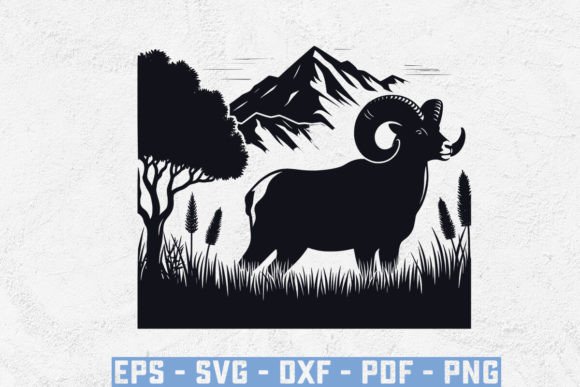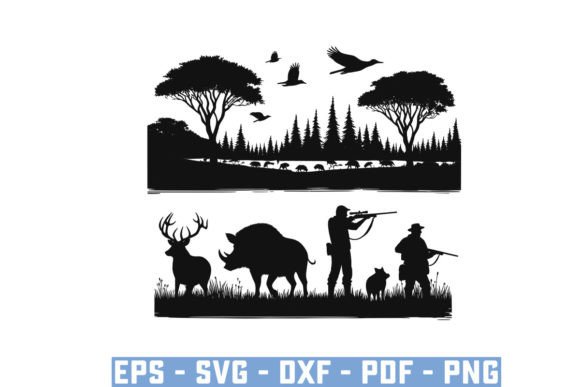
Wild Boar Hunter Pig Silhouette Bundle
If you create custom apparel, design hunting‑themed products, or build content around the outdoors, a well‑crafted set of vector files saves hours of starting from scratch. The Wild Boar Hunter Pig Silhouette Bundle delivers exactly that: a coordinated collection of wild boar, pig, and hog hunting silhouettes designed for digital use. Because the files arrive as SVG, EPS, PNG, DXF, and PDF, each format serves a different practical purpose. Instead of buying individual graphics, you receive a complete pack that works across cutting machines, design software, and print‑ready projects. The images hold a generous 15 x 18 inch size at 300 dpi, so scaling up for banners, signs, or garments keeps the edges sharp. This article walks through what the bundle contains, why different types of users may care about it, and how to decide whether it matches your own workflow.
What the vintage hog hunting bundle includes and why file variety matters
At its core, this bundle is a set of silhouette illustrations featuring wild boars, hogs, and hunter‑adjacent design elements. The vintage descriptor points to slightly rugged, classic line work rather than cartoonish or overly polished shapes. That aesthetic works well for rustic decor, hunting merchandise, or any project that needs an outdoorsy, traditional feel.
The real difference maker is the five‑format delivery. Beginners often wonder why a single graphic needs multiple file types. The reason is flexibility. An SVG file keeps the design fully scalable because it is built from mathematical paths. You can enlarge it to billboard size without losing quality. The EPS file offers a similar vector structure and is the standard for professional illustrators working in Adobe Illustrator or CorelDRAW. For people who just need a ready‑to‑print image, the PNG file at 300 dpi opens in any program and prints cleanly. The DXF format is crucial for cutting machines like Cricut or Silhouette. It allows the machine to recognize cut lines rather than treating the image as a solid shape. Finally, the PDF version makes sharing easy. You can send a proof to a colleague, upload it to a print shop, or store it for reference.
Each format serves a real use case. If you only need one type of file, you still get four others that might become useful later. That kind of coverage reduces the need to convert formats later, which can sometimes distort the original design.
Why hobbyists and home crafters appreciate the ready‑to‑cut DXF and SVG files
Home crafters and hobbyists often work with cutting machines for custom T‑shirts, decals, mugs, or signs. If you own a Cricut or a Silhouette Cameo, you have likely faced the frustration of finding a good design online only to realize it comes as a low‑resolution JPEG that your machine cannot cut properly. The Wild Boar Hunter Pig Silhouette Bundle removes that obstacle.
The DXF file, in particular, is built for cutting machine compatibility. You import it directly, assign your material settings, and let the machine do its work. The SVG file provides an alternative pathway for users who prefer to adjust the design before cutting. For example, you might want to resize the boar silhouette to fit a 4×4 inch coaster, then give it a distressed look before cutting heat transfer vinyl. Because both formats are vector based, you can scale without fear.
Cost also matters. Buying individual designs from a marketplace can add up quickly, especially if you use multiple boar or hog graphics across different products. A bundle gives you a set of coordinated pieces in one purchase, which saves money and guarantees visual consistency across your projects.
A practical example: A hobbyist making a set of hunting‑themed koozies for a family reunion can use the same boar silhouette on each koozie, resize it, rotate it, or flip it for variation. The PNG file also works if they want to print paper labels instead of cutting vinyl. No extra tool or conversion step is needed.
Small business owners and entrepreneurs focus on commercial value and speed
If you run a small business selling hunting‑inspired products, reliability and commercial readiness become top priorities. The bundle’s license allows you to use the graphics on commercial products, which means you can apply them to shirt designs, signage, decals, and packaging without paying per‑use royalties. That kind of straightforward commercial use clause simplifies your workflow and protects your margins.
Speed is another factor. When you receive a custom order for a wild boar hunting logo or a hog hunting sticker, you do not have time to design a silhouette from scratch. With the EPS or SVG file, you can open it in your vector software, adjust the sizing, maybe tweak the line weight, and move to production. The high resolution of the PNG at 300 dpi also means you can send files directly to a print provider without additional prep work.
Business owners also value the ability to scale. The 15×18 inch canvas size at 300 dpi means the same file works for a small business card and a large vehicle decal. You are not forced to buy separate resolutions for different formats.
Consider a small online shop that sells hunting decals for trucks and coolers. Using the DXF file, the owner can cut the boar silhouette in layered vinyl, offering three‑color designs. The same graphic, output as a PNG, can be printed on transfer paper for ceramic mugs. This kind of cross‑medium flexibility reduces the number of assets you need to manage and streamlines inventory.
Graphic designers and professionals evaluate flexibility and aesthetic detail
For experienced graphic designers, the primary value of this bundle lies in the vector quality and aesthetic consistency. The vintage wild boar hunter style has a distinct character that is not easy to replicate quickly. Designers can use the EPS or SVG file as a base element and layer it with typography, other wildlife vectors, or texture overlays.
The EPS format especially matters for professionals working in print studios. It embeds color information, supports spot colors, and can be placed into layout software like InDesign without quality loss. A designer preparing a report on hog hunting regulations, for example, could drop the boar silhouette into the cover page, scale it to 80% width, and maintain crisp edges against a textured background.
Creatives also appreciate that the bundle includes multiple silhouettes, not just one. That gives compositional options. You might select a charging boar for a poster and a standing hog for a brand emblem. The variety in pose and perspective keeps the work from looking repetitive.
Long‑term usefulness is another consideration. Vector files do not degrade over time. You can archive the EPS or SVG and open it years later with updated software. The bundle becomes a permanent part of your resource library rather than a single‑project purchase.
Educators and content creators find quick visuals for presentations and handouts
Teachers, workshop leaders, and outdoor educators often need visuals that are clear, printable, and easy to embed in digital materials. The PDF and PNG files from this bundle serve those needs directly. You can insert a PNG into a slide deck about wildlife management or hog hunting safety, and the high resolution ensures it looks professional on a projector or in a printed handout.
The PDF format is especially handy for sharing with colleagues who might not have design software. You can email a one‑page sheet of boar silhouettes, and they can view it in any PDF reader, print it, or even trace it for classroom activities. For outdoor educators explaining pig behavior or hunting tactics, the silhouette offers a simple, recognizable graphic that reinforces learning without distracting from the lesson.
A blogger writing about hog hunting gear could use the PNG as a lead image or a side illustration. Because the file is already sized at 15×18 inches, it works well for featured images that need consistent dimensions. The vector formats also allow the blogger to extract a single boar shape and use it as a watermark or logo on their own site.
How to decide if this bundle matches your goals and skill level
Not every product fits every person. The Wild Boar Hunter Pig Silhouette Bundle works best for people who already have a project, product, or content plan that calls for wild boar or hog imagery. If you need a cheap, one‑time graphic for a single sign, the bundle may still be worthwhile because the five formats cover all output scenarios. But if you never use cutting machines or print production, the DXF and EPS files might be surplus. On the other hand, having them available can be a safety net if your needs change later.
Beginners should not worry about the term “vector.” The PNG file is as simple as any standard image. You can download it, unzip the folder, and place it into Microsoft Word or Canva without additional skills. As you grow comfortable, you can explore the SVG or DXF files when you buy a cutting machine.
Professional users will evaluate the design by its line quality and detail. If the vintage style matches your brand, the bundle saves days of illustration work. If you need a modern, flat vector look, the vintage aesthetic may not be the best fit. The key is to look at the product preview carefully and decide whether the silhouette style aligns with your brand voice.
Commercial use rules and what reselling means for your business
The bundle permits you to use the files in commercial products you make and sell. That includes T‑shirts, decals, signs, digital content, and printed merchandise. However, the license explicitly prohibits reselling the original digital files themselves. The logic is straightforward: you are buying permission to create with the designs, not to become a seller of those designs. As a business owner, you can confidently apply the boar silhouette to your products. As a designer, you can incorporate it into a larger composition you sell to a client. The restriction only prevents someone from packaging the SVG or EPS file as a standalone product.
If you run a print‑on‑demand store, you are well within the license. Upload the PNG to your print provider, put it on a hoodie, and sell it. The only thing you cannot do is include the original digital file in that sale. That clarity matters for anyone concerned about intellectual property.
Practical ways to start using the bundle immediately
Once you download the files, unzip the folder and preview each format. Open the PNG to see the full design at its original size. If you own a cutting machine, open your design software and import the DXF file. Adjust the size to 4×6 inches for a decal, or 8×10 inches for a wall sign. For digital use, drag the SVG directly into a web design tool or presentation app.
The 300 dpi PNG also works for small‐batch heat transfers. You can print it on printable vinyl with an inkjet printer, cut around the shape, and apply it to a surface. No vector editing required.
For long‑term organization, save the EPS and SVG files into your resource folder. Tag them with keywords like “wild boar,” “hog hunting,” and “silhouette” so you can locate them in future projects.
Does this bundle fit your project type?
The answer depends on your primary output medium. If most of your work stays digital, the PNG and PDF formats cover your needs, while the vector files remain a bonus for later. If you manufacture physical products, the DXF and SVG files are the core assets. Anyone producing content for the hunting, outdoors, or rustic lifestyle market will find the vintage silhouette style cohesive and adaptable.
The bundle is not a subscription and does not require specialized storage. It is a one‑time library addition that, once downloaded, belongs to you. For crafters, entrepreneurs, designers, educators, and content creators who regularly work around wild boar or hunting themes, the file variety and commercial license create a practical, long‑term resource. Taking a few minutes to open each format and test it in your own tools will tell you more than any description can. The design itself does the work once you put it to use.