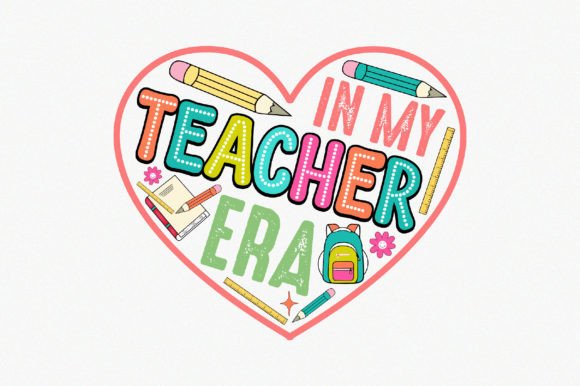
The Ultimate Guide to Creating Stunning Teacher-Themed Designs with SVG, DXF, EPS, PNG, and AI Files
Teachers shape our future every single day. Whether you are an educator looking to personalize your classroom, a parent preparing a thoughtful gift, or a small business owner creating teacher appreciation products, having the right design files can make all the difference. Digital cutting machines, printing services, and design software have opened up a world of creative possibilities, but understanding which file format to use and when is essential. This guide walks you through everything you need to know about working with teacher-themed vector and raster files, from SVG to AI, so you can create beautiful, professional-quality projects with confidence.
Why Teacher-Themed Designs Are So Popular
Teacher appreciation has become a vibrant and meaningful category in the crafting and design world. From "World's Best Teacher" mugs to personalized classroom posters, educators love receiving items that celebrate their hard work and dedication. Parents and students enjoy creating custom gifts that show genuine thought and effort. At the same time, many teachers use design files to create their own classroom decor, bulletin board accents, labels, and reward stickers. The versatility of these designs means they can appear on apparel, stationery, home decor, and digital resources alike. This widespread appeal makes teacher-themed files a valuable asset for both personal and commercial projects.
Understanding Your File Options: A Complete Breakdown
When you download a teacher-themed design bundle, you typically receive multiple file formats. Each format serves a specific purpose, and knowing the differences helps you avoid frustration and get the best results. Below is a clear explanation of the most common file types you will encounter.
SVG Files – The Cricut and Silhouette Favorite
SVG stands for Scalable Vector Graphics. This format is ideal for cutting machines like Cricut Explore, Cricut Maker, and Silhouette Cameo. Because SVGs are vector-based, they can be scaled to any size without losing quality. You can resize a small apple design to cover an entire tote bag, and the edges will remain crisp and clean. SVG files also support multiple layers and colors, making them perfect for multi-layered vinyl projects. If you use Cricut Design Space or Silhouette Designer Edition, the SVG format should be your go-to choice for teacher-themed cut files.
DXF Files – Great for Silhouette Users
The DXF format is another vector option, particularly useful for Silhouette users. Even if you work with the free version of Silhouette Studio, you can open DXF files without upgrading your software. This makes DXF an accessible format for hobbyists and beginners. While DXF files typically handle single-color cuts best, they are reliable for producing precise outlines for stickers, iron-on transfers, and paper craft projects. If you are designing a simple teacher appreciation tag or a classroom label, DXF is a dependable choice.
EPS Files – For Professional Design Software
EPS (Encapsulated PostScript) is a versatile vector format widely used in Adobe Illustrator, Inkscape, and Corel Draw. Designers who create teacher-themed merchandise often prefer EPS because it preserves complex shapes, gradients, and effects. If you plan to modify the original design, adjust colors, or combine elements with other graphics, EPS gives you maximum flexibility. This format is also excellent for printing large banners, posters, or wall decals for school events. For anyone working in professional design software, EPS is a powerful tool.
PNG Files – Ready-to-Print with Transparent Backgrounds
PNG files offer a different advantage. Unlike vector formats, PNG is a raster image made of pixels. However, high-resolution PNGs with transparent backgrounds (300 dpi) are incredibly useful for quick printing. You can place a teacher-themed PNG directly onto a t-shirt design in Photoshop, upload it to a print-on-demand platform, or insert it into a classroom newsletter without worrying about background clutter. Because PNG files retain transparency, they layer seamlessly over other images. For rapid projects where you do not need to edit the design itself, PNG is the most straightforward option.
AI Files – Full Editability in Adobe Illustrator
The AI format is Adobe Illustrator’s native file type. When you receive an AI file, you have complete control over every element. You can change colors, rearrange shapes, add text, delete parts, or combine multiple designs. This is especially useful for teachers who want to personalize a design with their name, grade level, or subject area. AI files are also fully vector-based, meaning they remain sharp at any size. If you need to adapt a general teacher design into something uniquely yours, the AI format is your best ally.
Practical Uses for Teacher-Themed Design Files
The beauty of having all these file formats is that you can use them across a wide range of projects. Here are some real-world applications that show just how versatile teacher-themed designs can be.
Apparel and Clothing
Custom t-shirts are a staple for teacher appreciation weeks, field days, and school spirit events. Using SVG or DXF files with heat transfer vinyl, you can create professional-looking shirts that celebrate individual teachers or entire grade-level teams. EPS and AI files allow you to adjust colors to match school uniforms or team themes. Even PNG files work well with printable transfer paper for a quick and easy option.
Classroom Decor and Organization
Teachers love decorating their classrooms with themed posters, name tags, supply labels, and bulletin board borders. Vector files let you scale designs to fit any space. You can create large wall decals with inspiring quotes or small labels for cubbies and bins. Since the files are fully editable, you can change the color palette to match your classroom aesthetic. High-quality PNG files also work beautifully for printing posters at home or at a local print shop.
Stickers and Labels
Stickers are a huge hit with teachers and students alike. Use your teacher-themed designs to create reward stickers, planner stickers, or laptop decals. SVG and DXF formats are perfect for cutting sticker sheets with a die-cutting machine, while PNG files can be printed on sticker paper and cut by hand. The transparent background ensures your stickers look professional and seamless on any surface.
Gifts and Giveaways
Personalized gifts carry extra meaning. A mug with a custom teacher design, a tote bag with an inspirational message, or a set of notecards featuring a cute school theme can brighten any educator's day. With editable AI and EPS files, you can add a teacher's name, favorite subject, or a special date. This turns a generic design into a heartfelt present.
Digital Resources
Many teachers create digital resources for their classrooms or for selling on platforms like Teachers Pay Teachers. Editable vector files allow you to incorporate teacher-themed graphics into worksheets, slideshows, and digital badges. PNG files with transparent backgrounds are especially useful for adding icons and illustrations to digital documents without formatting issues.
How to Choose the Right File for Your Project
Selecting the correct file format depends on what you want to do. If you are cutting vinyl with a Cricut, reach for SVG. If you use the free version of Silhouette Studio, DXF is your safest bet. For major edits and color changes in design software, go with EPS or AI. If you need a quick print or a digital image, PNG is the simplest solution. Many bundles include all these formats precisely so you can move between projects without limitation.
Modifying and Personalizing Your Teacher Designs
One of the biggest advantages of vector files is how easy they are to customize. With AI or EPS files, you can change the color of an apple from red to green, swap the background from teal to yellow, or add a teacher's name in your favorite font. This flexibility is invaluable when you want to create a cohesive look for a classroom or align a design with a school's branding. Even if you are not a professional designer, software like Inkscape (free) or Adobe Illustrator can help you make simple adjustments. The "made with 100% vector shapes" guarantee means every element is independently editable, so you can truly make the design your own.
Quality Matters: Why 300 DPI and High Resolution Count
When you print a teacher-themed design on a t-shirt, poster, or sticker, the resolution determines how sharp and professional the final product looks. Raster files like PNG should always be at least 300 DPI for crisp edges and smooth gradients. Vector files like SVG, AI, and EPS are resolution-independent, meaning they will always print at the highest quality your printer can handle. This is why professional designers and serious crafters insist on vector formats for large-scale projects. A 300 DPI PNG is excellent for digital use and small prints, but for banners, wall decals, and fabric transfers, vector files give you unmatched clarity.
Common Misunderstandings About Design Files
Many beginners assume that one file format works everywhere, but that is rarely the case. SVG files are not supported by all printers or design tools, and PNG files cannot be scaled up indefinitely without losing quality. Another common mistake is thinking that a PNG with a white background is the same as one with a transparent background. Transparent backgrounds are essential for layering designs over colored surfaces. Also, some users believe that DXF files are outdated, but they remain widely used in the Silhouette community and offer reliable performance. Understanding these nuances helps you avoid wasted materials and frustration.
Bringing Your Teacher Projects to Life
Whether you are making a single gift for a favorite teacher or producing items for an entire school event, having the right file format streamlines your workflow. Start by identifying your output method—cutting, printing, or digital use—then select the corresponding file. Experiment with scaling and color changes in vector software to see just how flexible these designs are. The included support files (PNG Transparent) also ensure you have a ready-to-use option for any last-minute project.
Remember that these designs are not limited to one use. A single teacher-themed SVG can become a shirt, a sticker, a poster, and a digital badge. The versatility of a well-prepared file bundle saves you time and money while expanding your creative possibilities. With high-quality vector shapes and 300 DPI raster options, you have everything you need to produce professional results from your home craft space or through a commercial printer.
Final Thoughts: Why Teacher-Themed Files Are Worth Having
Teachers deserve recognition, and creative projects are a wonderful way to show appreciation. Whether you are a teacher yourself, a parent, a student, or a small business owner, having access to SVG, DXF, EPS, PNG, and AI files opens up countless opportunities. You can create meaningful, personalized items that celebrate educators in your community. The combination of easy editing, resizable vectors, and high-resolution prints means your projects will always look polished and thoughtful. So download your favorite teacher design bundle, explore the different formats, and start creating something that truly honors the educators who make a difference every day.